
Enfumap

What's new

New maps, new ways to look at them, and what changed on Enfumap.

API update: more map details, paging, and a changes-only list

The Enfumap API has grown. Five small changes, all of them additions: nothing that worked before has changed, so existing code keeps working exactly as it did.

These came from requests by people already building on the API. Thank you, keep them coming.

What's new

1. Workshop ID and version of the addon Every community map now says which addon it is built from (workshop) and which version of that addon the tiles were built from (modVersion). Bohemia's own maps have no Workshop addon, so both are null for them.

2. The world file's GUID worldGuid is the resource GUID of the world file (.ent) the map was exported from. All maps have it.

3. World size as X and Z worldSizeX and worldSizeZ give each side of the world in metres, because a world isn't guaranteed to be square. Every map is square today, so the two match, but your code no longer has to assume it. worldSize is still there and equals worldSizeX.

4. Paging through places A request still returns at most 500 places, but you can now read on with offset:

/api/v1/maps/everon/places?limit=500&offset=0
/api/v1/maps/everon/places?limit=500&offset=500

The total number of matching places comes back in an X-Total-Count header (readable from a browser too). The order never changes between requests, so pages never overlap or skip a place. It works with search and the kind filter as well.

5. Only what changed Every map has an updatedAt (unix seconds): the last time it changed on Enfumap, whether that was a new build, a satellite layer or a hand drawn layer. Add updatedSince to the map list to get only the maps changed after a moment:

/api/v1/maps?updatedSince=1793000000
/api/v1/maps?updatedSince=2026-11-01

Handy for a once-a-day sync that only fetches the difference. It takes unix seconds, a date, or a full ISO time. Two things to know: a map that is taken off the site just stops being listed, so now and then compare the full list's slugs with your own to catch removals, and an unreadable value gets a clear bad_updatedSince error (400).

Try it

curl "https://enfumap.com/api/v1/maps?updatedSince=2026-11-01"

Also new: the docs page

The API documentation has been rebuilt. It now lists every field in a "Map details" table, has a short guide to keeping a copy in sync, and works properly on a phone, with a contents bar that follows you down the page. Every endpoint still has a Try it button that calls the live API.

Building something with it? Credit Enfumap wherever you show a map, and for community maps their author too. If you need something the API doesn't do yet, ask.
New: Widgets for your own site

You can now put an Enfumap map on your own website, server page or community page. It's free with no account and no key: set it up with a live preview, copy a few lines, paste.

What you can add

  • Map viewer: any map, in any of its styles (topo, satellite, fogless, hand drawn), with place names, a grid, zoom and layer buttons, and your own pins.
  • Map card: a neat card for one map, with its picture, name and maker
  • Map Picker: every map as a tile, with a search box.
  • New and updated: the maps most recently built or updated.

Handy for

  • A server's website for things like show where the base, the shop and rally points are.
  • A mod or map authors page to show the map people are playing on
  • A community's Discord or wiki.

Good to know

  • Every widget carries a small enfumap.com credit that links back to the map.
  • Nothing is stored about you or your visitors, and no cookies are set.
  • It never takes over your page. The mouse wheel only zooms after a click, and a phone one finger still scrolls your page.
  • No script allowed on your site? There's an iframe version to.

Build a widget today

Hand drawn maps have arrived

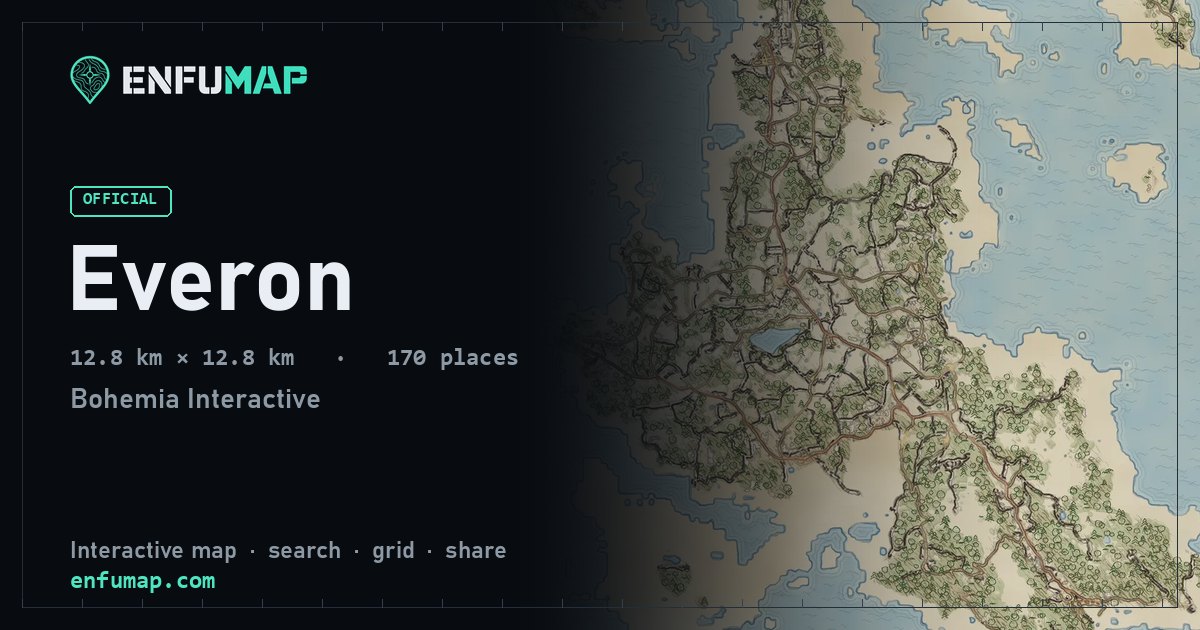
Some maps now come in a new style called Hand drawn. It looks like something you'd find folded up in a field notebook: ink outlines that wobble a little, a thin wash of colour over the top, tiny sketched trees, and place names written in pencil.

Everon in the Hand drawn style

How to switch to it

Open a map that has it, then pick Hand drawn from the Map choice in the tools menu. On a keyboard, press B to flick between the styles. Zoom in close, because that's where the pen work really shows: hatching on the hills, waves on the water, and every tree drawn a little differently.

Have a look

These three are ready now:

Good to know

  • Every map is drawn by hand, so to speak, one at a time, and that takes a while. More maps will get the style over the next few days.
  • If a map has no Hand drawn button, it just hasn't had its turn yet.
  • Links remember the style. Share one with Hand drawn selected and the preview picture in Discord will show it too.
  • Building something with the API? The style is there as tiles.layers.drawn, and the developer docs explain how to use it.

If you spot something that looks off, or you'd like your favourite map drawn next, tell us on Discord.

Enfumap is now installable on your phone

You can now put Enfumap on your home screen like a regular app. It opens full screen, has its own icon, and maps you have already looked at still load when your signal is poor.

Install it

  • Android: open Enfumap in Chrome, tap the menu, then choose Install app.
  • iPhone and iPad: open it in Safari, tap Share, then Add to Home Screen.

There is also an install button, with the same steps, on the new Get the app page.

Google Play is coming

We are getting an official Android version ready for the Google Play Store, so you will be able to find Enfumap by searching for it. It is the same Enfumap in a store listing. If you install it from the site today, nothing changes for you when the store version arrives.

We will post here when it is live. If you would like to hear first, or help test it, join us on Discord.